
In this section of the tutorial you will build the application front-end. This site area will be visible to all users, registered to the site or not. It has to allow browsing the existing topics and reading articles. For improved accessibility, each page in the front-end must use a consistent layout, display the topics list as a navigation menu on every page, and use CSS for design.
To minimize development time, and allow changes to be applied quickly, each front-end component will be created in a separate page, and be reunited in the main index using Server-Side Includes.
The final page layout will be similar to the mock-up below:
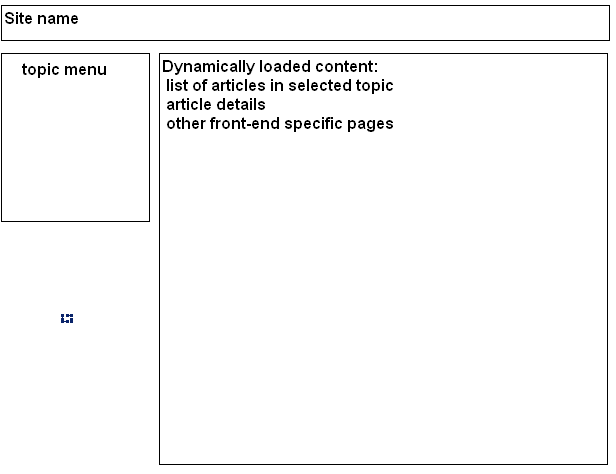
The application layout is created using <div> layers, styled and positioned with CSS. Included in the package is the .css file, and the index already has the layout created.
To quickly create a similar layout, follow the next steps:
Open the index page.
Attach the external style sheet provided in the
zip package.
Note: You must copy the file in the site root, if you haven't
done so yet.
Add three <div> tags from the Layout tab of the Insert bar. In the configuration interface select their ID's:
For the first one, which will be displayed on top of the page (to contain the site name) select masthead.
The second <div>
tag uses the content ID, and the last will
use the navbar ID.
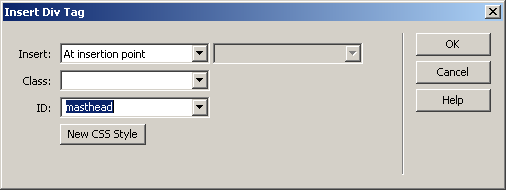
Dreamweaver adds some
default text in each of them. You will replace this with content as you
progress through the tutorial.
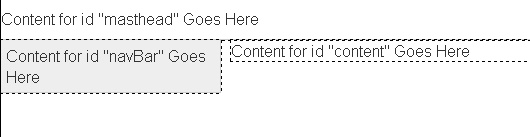
The main layout is now completed. Before closing
the page, you can replace the Content for id "masthead"
Goes Here default text with your site name (e.g. "InterAKT
content management system"). To better style it, select the H1 format, and in code view add the id="siteName"
property.

The result should look like below:
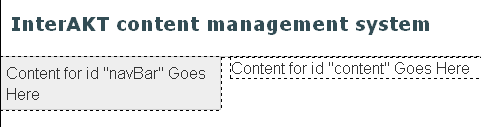
Save the page and close it.
In the next topics you will create the parts that make up the application front-end, and each time one of them is complete, you will integrate it with the main page: