
|
|
|
|
With the Server-Side Includes From Table server behavior your dynamically included content can be retrieved from a database table, which stores the following data:
the values for the URL parameter passed.
the names of the files to be included in the page where the server behavior is applied.
the title of the page in browser when a certain included file is loaded (the title is displayed on the bar).
the meta keywords that characterize the content of the respective included file and that will be listed in the HTML meta keyword tag.
the meta description of the included file which will be present in the HTML meta description tag.
The meta keywords and the meta description contribute significantly to the Search Engine Optimization, helping with the Google ranking. When surfing the web looking for specific pages, the search engine will use the keywords of a page to generate the results. The results list will contain the meta description of the pages found.
Note: here is an example of how these HTML tags look like (<meta> tags are included within the <head> tag along with the <title> tag).
<meta name="keywords" content="dreamweaver
extensions, web development, dynamic website" />
<meta name="description" content="Dreamweaver Extensions
for Dynamic Web Sites." />
This server behavior is accessible from the Application
panel, Server Behaviors -> + -> MX Kollection
-> Server-Side Includes -> Server-Side
Includes From Table.
The user interface has two tabs:
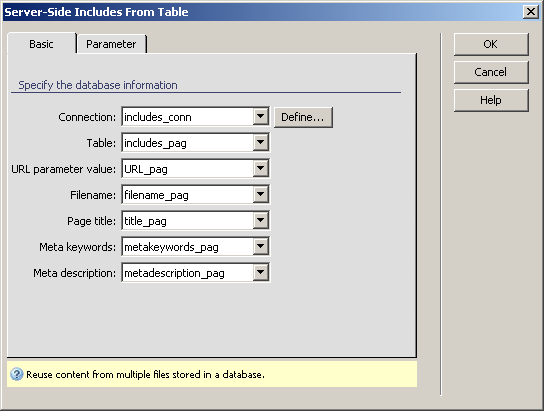
To set the dialog box options for the first tab, follow the next steps:
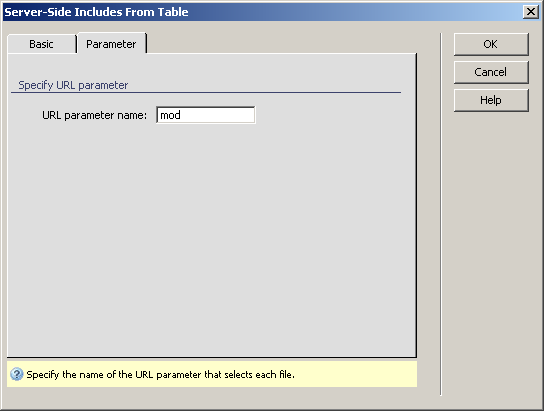
To set the dialog box options for the second tab, follow the next steps:
In the URL parameter name text box enter the name of the URL parameter that you are going to use in your site pages. The default name given is mod.
Click OK when you are done configuring the server behavior.
Before being able to see this server behavior at work, there are several things that need to be done in your current Dreamweaver page (let's consider this page being named includes.php):
For each URL parameter value, create a link in page that would point to the page itself (simply write down a word/text, select it, right-click on it, and Make Link).
Make sure the link passes the URL parameter specified
in the Advanced tab (mod), with the value
specified in the corresponding database table (URL_pag,
in our case). When clicking on this created link in the Dreamweaver
page, the Property Inspector should look
like this:

In browser, when clicking on this link, the file corresponding to the URL parameter value (article) will be included in your current page.
Note: If you applied the Server-Side Includes From Table server behavior in your page, you cannot apply it again in the same page, and you cannot apply Server-Side Includes From List either.
If you want to use nice URL's for your included files, there are three things you should do:
Make sure that in your database table, the URL parameter values are stored like this: "/value" (having a slash before the actual value).
In the Parameter tab, remove the URL parameter name.
For each of the links through which files are included in your current page, replace in the Property Inspector the "?mod=" with a slash (/).
For more details about the nice URL's and how they can be obtained,
read the similar paragraphs in Server-Side
Includes From List.