|
|
|
|
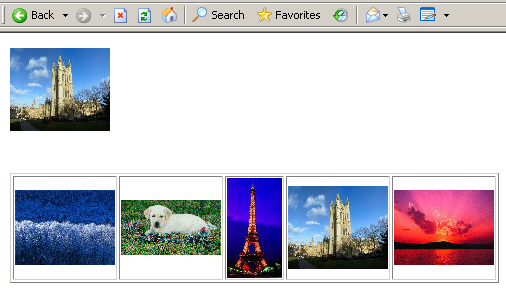
In this section, you will edit the default.php page of the gallery in order to make it display, below the random image, the thumbnails of the 5 most recently uploaded images.
In order to retrieve only the latest 5 images,
create a recordset
(rsLastImg) that uses the following SQL code
(use the Advanced view):
SELECT id_img, idalb_img, filename_img, date_img
FROM image_img
ORDER BY date_img DESC LIMIT 0,5
If you are using ColdFusion, use the
following code (no matter the database type):
SELECT id_img, idalb_img, filename_img, date_img
FROM image_img
ORDER BY date_img DESC
and then edit the
<cfoutput> tag to make it look like this:
<cfoutput query="rsImages" maxrows="5">
If you are using Microsoft Access, you
can create the recordset with the following code:
SELECT TOP 5 id_img, idalb_img, filename_img, date_img
FROM image_img
ORDER BY date_img DESC
Create a new paragraph below the Repeat Region already existing on the page.
Apply a Show thumbnail server behavior configured to use the rsLastImg recordset to retrieve the file name.
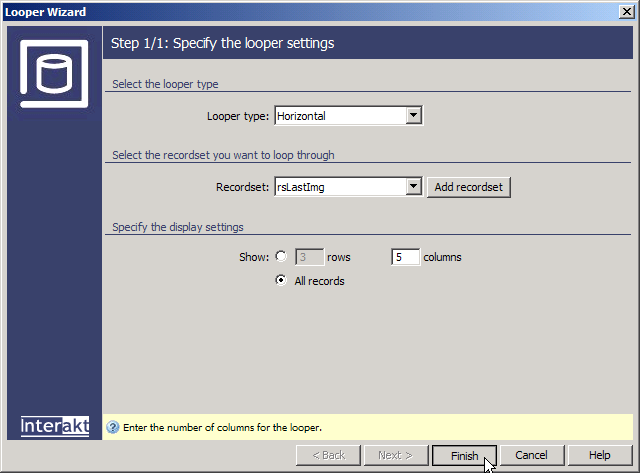
Apply the Looper Wizard
from the MX Kollection tab of the Insert panel and configure it as follows:
· In the
Recordset drop-down menu select rsLastImg.
· Select
the All records radio-button. This will disable
the number of Rows setting, leaving only
the number of Columns available for modification.
Since the recordset only retrieves 5 records, and the best way to display
them is in a row, enter 5 for the number of columns to use with the Horizontal Looper.
· Hit Finish to close the dialog box.
Next you have to turn each image into a link that will display the image at its actual size. To do so, select the image, and through the Make Link interface, select the full_view page, passing it the id_img URL parameter.
Save the page and upload it to the server. It
should be similar to this one: