Create navigation
menu
To allow the users browse the articles in an easy manner, you have to
add a navigation menu. This will be stored in its own page, in the front folder. The menu will display links only to
pages that contain a list of articles, as each list will point to the
articles it contains, allowing the users to read them.
To create the menu, follow the next steps:
- Open the front/menu.php
page.
- Create a recordset
with the titles of the articles on the first level.

- Create a dynamic table (
bar -> tab) with all the
records in the rsMenu recordset.

- Delete the first row, to remove the column headings.
-
Delete the columns containing the primary key
and the self foreign key
.
- Link the dynamic text to the view_list.php
page and pass it the URL parameter:
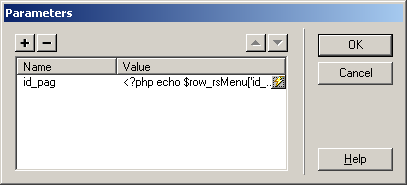
- Here it is how the menu looks in
design view:

- Hit to preview
the menu in your browser.

