
|
|
|
|
The Server-Side Include server behavior allows the site developer to include a file in the current Dreamweaver page. The file to be included can be modified later, the new modifications being seen in the page where this server behavior is applied.
This feature is useful when you have to include the same elements in multiple pages. You can do this in one operation now instead of repeating the same steps over and over again for each page.
This server behavior is accessible from the Application
panel, Server Behaviors -> + -> MX Kollection
-> Server-Side Includes -> Server-Side Include. The user
interface has one tab:
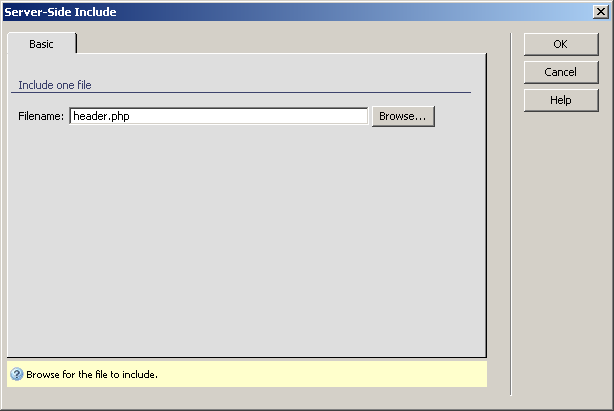
To set the dialog box options, use the following steps: