
|
|
|
|
The Autocomplete Text Field replaces a regular text field in a form, and adds the autocomplete feature. Its behavior and look in a browser (with Java Script support) are as follows:
A button is displayed beside the normal text field section, allowing the user open a drop-down list with the elements that can be entered.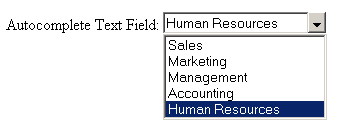

If the page containing an autocomplete text field is opened in a browser
that does not support Java Script, the widget will be displayed as a regular
text field.