
|
|
|
|
To switch between production and development error handling modes, you must access the Debugging mode from the InterAKT Control Panel.
A dialog box similar to the one below will be displayed:
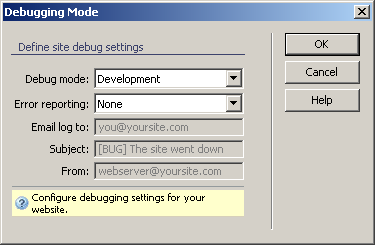
In the Debug mode drop-down menu, you can select the error handling mode. This is called the Debug Mode, since it actually helps track errors in the code. The available options are Development and Production.
Once you've selected the desire mode, click on OK
to apply it, and then, if you do not have automatically put files activated,
you will have to upload the includes/tng
folder, so that changes will be visible when accessing pages on the server.