
|
|
|
|
After applying the Looper Wizard and choosing the Vertical type, you can notice in the Server Behaviors tab the server behavior that is added, namely the Vertical Looper one. You cannot find it in the MX Kollection 3 menu as it can only be accessed and edited after applying the Looper Wizard, which adds it to the server behaviors list of the page.
You can use the Vertical Looper server behavior (by double-clicking on it) to alter the Looper list properties at a later time.
The server behavior contains only one tab and it looks similar to the
image below:
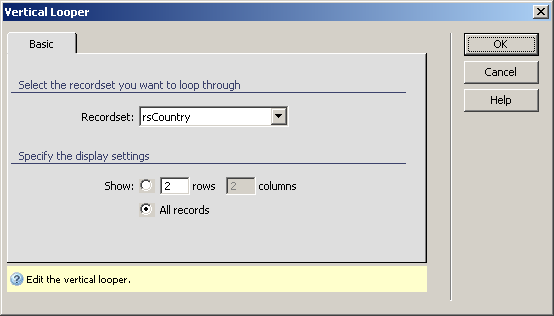
To set the dialog box options, follow the next steps:
In the Recordset drop-down menu select the recordset containing the data you want to list.
The three buttons in the top right corner of the
interface offer you the next functionalities:
· Click OK when you are done configuring the server behavior.
· Click Cancel to exit without applying the new settings.
· The Help button opens this help page.