
|
|
|
|
The SQL/Results Preview Panel has a tab labeled SQL Query where you can see the SQL code generated by your query.
Let's consider the following example:
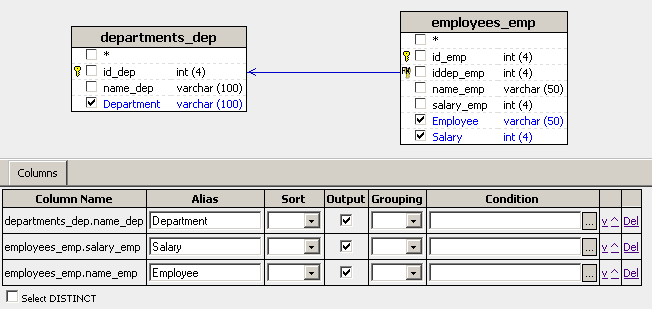
If your Database Diagram and Query
Management Panel look like in the image above, then the generated
SQL query is:
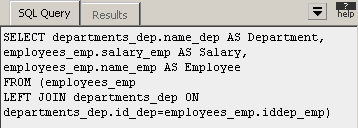
As you make changes in MX Query Builder, the generated code is updated to reflect the changes.
The code itself cannot be edited directly in MX Query Builder. However, it is possible to open the query in Dreamweaver and modify the query using the Advanced Recordset tool.
In the next topic, you will
see how to preview the results of your query.